Custom art
Don't like the default splash? Pass art= with your own. Works on both operator templates. On template 1 the
art takes the whole left side.
image = await cards.render(build, art=Path("my_art.png"))
image = await cards.render(build, art=attachment_bytes, template=2)       # from a bot upload
image = await cards.render(build, art=pillow_image)                       # edit it first if you want
image = await cards.render(build, art="my_art.png", allow_local=True)
image = await cards.render(build, art="https://example.com/art.png", allow_remote=True)
| You pass | Works |
|---|---|
| a Pillow image | always |
bytes |
always |
a pathlib.Path |
always |
| a path as a string | with allow_local=True |
| a url string | with allow_remote=True |
Keeping a bot safe
Text urls and paths are off by default on purpose. If a user can type a path and you pass it straight in, they could make your bot open files on your machine.
- uploads: pass the bytes, that's always fine
- links from users:
allow_remote=Trueis ok. Private and local addresses stay blocked (redirects included), downloads stop at 15 MB and after 3 redirects, and proxy env vars aren't used - never turn on
allow_localfor anything a user typed, or wrap their text inPath()
Art over 15 MB or 40 megapixels is rejected with a CardError.
When a url fails
Some image hosts block scripts. Download it yourself (or take it as an upload) and pass the bytes.
Custom art cards are never cached, the art behind a url can change. Icons still come from the cache.
Examples
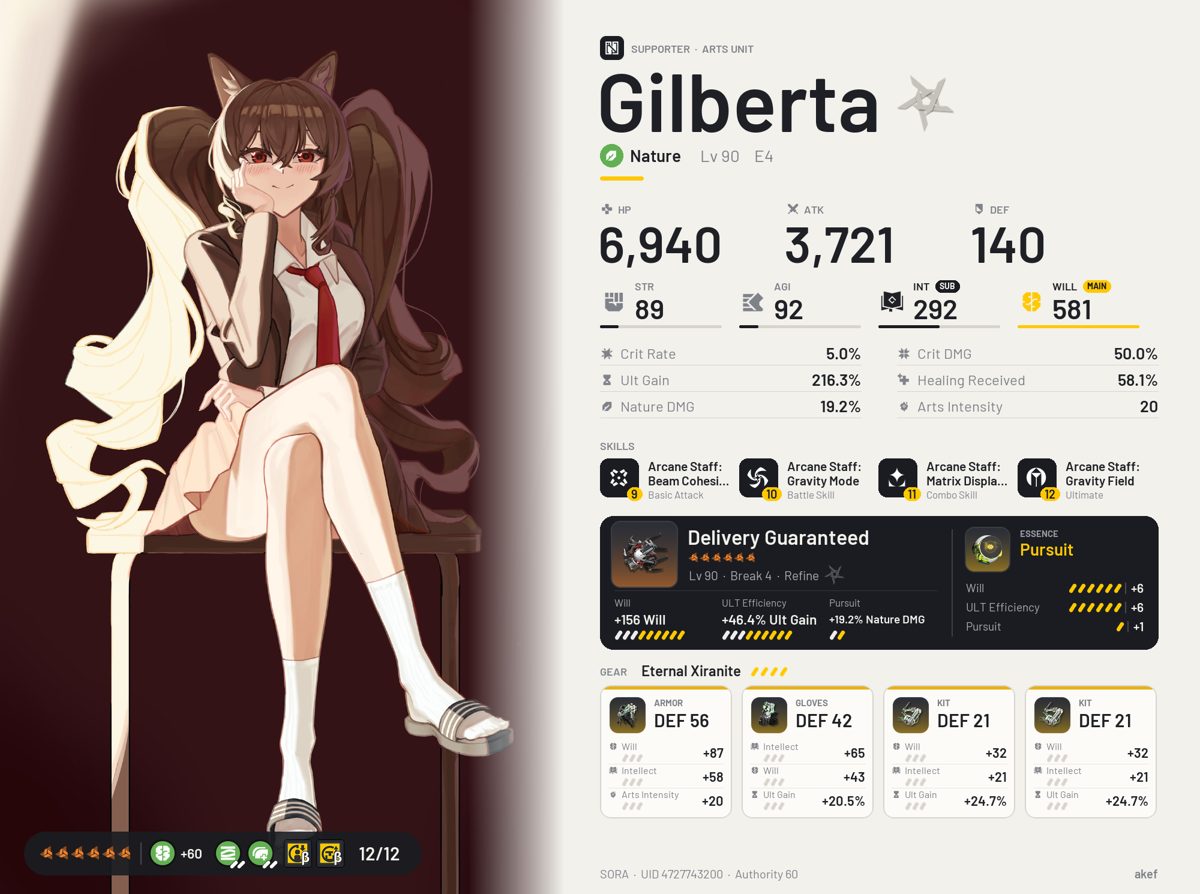
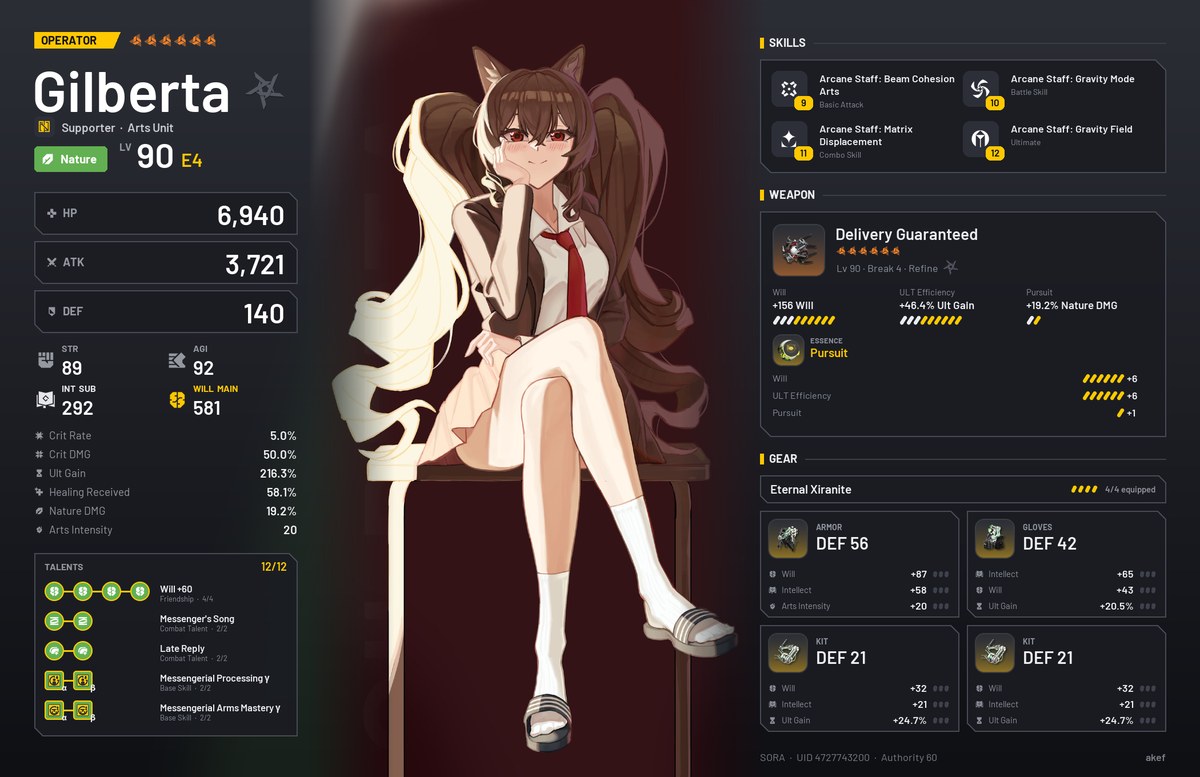
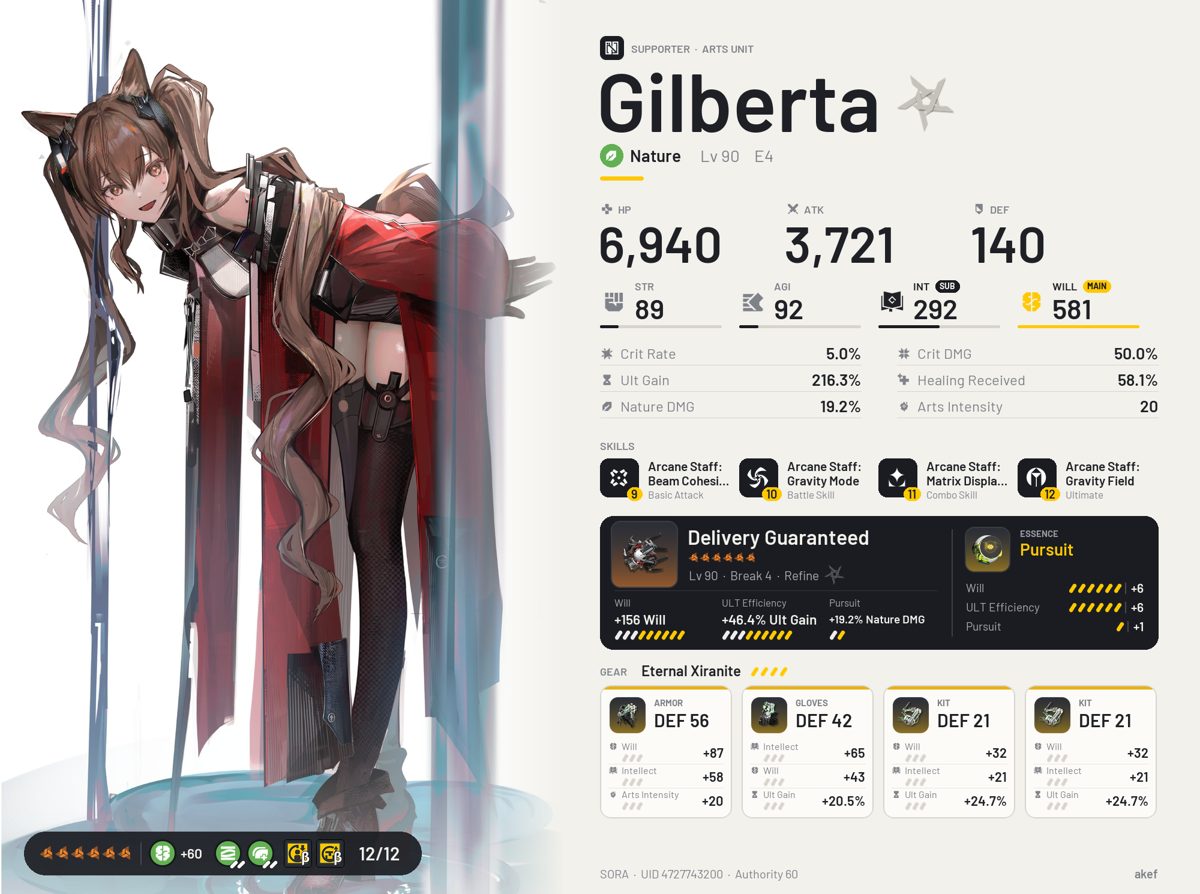
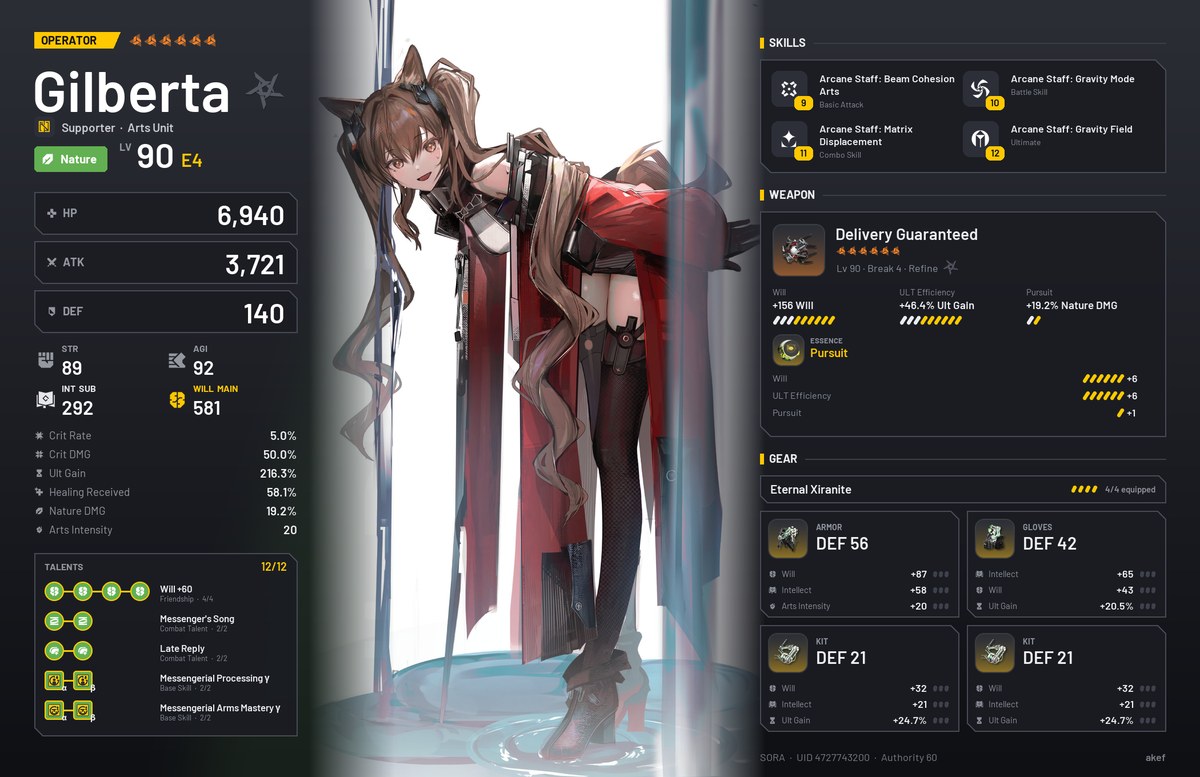
The fan art belongs to the artists and isn't covered by the MIT license.
For a moving version see Animated operator.